
Installation:
- Once you have downloaded the
- Upload modules folder to whmcs folder.
- Navigate into Setup > Addon Modules and Activate AI-Assisted Chat
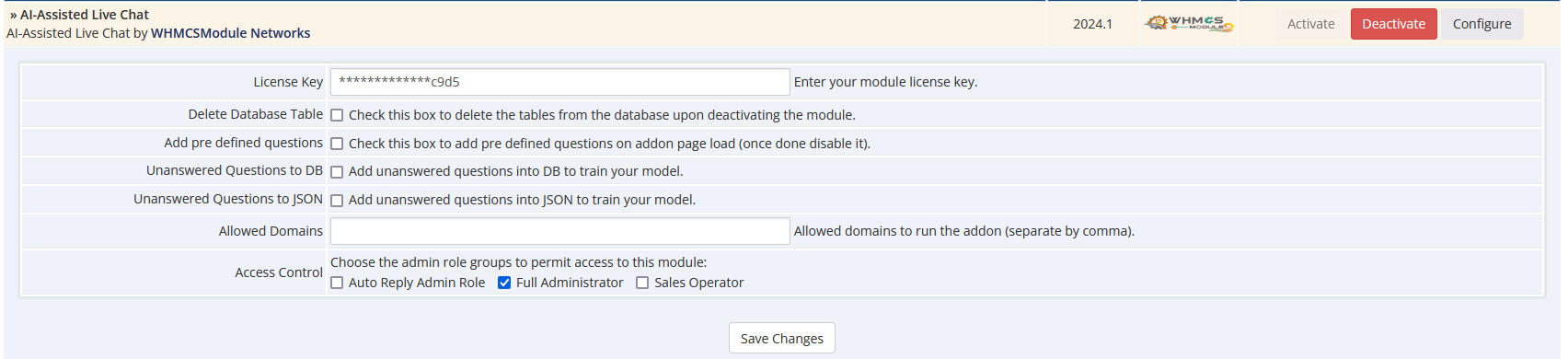
- Now Click on AI-Assisted Chat Configure Option and Give Access Control as per your need and save the setting.
- Adjust DB storage based on your requirement as shown below
- Adding chatbot widgets into your pages - Copy the content of templates/aichat.tpl file and add it into your WHMCS templates footer.tpl file or if you want it on your external web page then where whmcs is hosted on sub domain.
Configuration:
- Navigate to Addons -> AI-Assisted Chat
- Here you can train your Chatbot based on your requirements
- If enabled during addon configuration you can view the not found questions within the addon page ( Suggested to select local instate of DB)