WHMCSModule Networks
AUTOMATION PLATFORM ...
Gross-Up & Fixed Fees Exclusive & inclusive gross-up fee logic per gateway
Fail-Safe Operation Clients never get locked out of checkout on misconfigs
WHMCS WHMCS ADDON MODULE

Payment Gateway Fees & Allocator
For WHMCS

Automatically add gateway surcharges or discounts per payment method — fixed or percentage — with live checkout display, country/currency rules, and client exclusions.

Best Selling Version v2026.1 (Released: July 2026) WHMCS Latest PHP 8.2 & 8.3 Encoded Instant Automated Delivery
Home / Addons / Payment Gateway Fees
Country & Currency Rules Map gateway availability & fees by client region
Client Group Exclusions Exempt specific client groups or accounts from fees
WHMCS 9.x Addon v2026.1

Payment Gateway Fees & Allocator

Charge gateway surcharges or grant discounts automatically. Shown live at cart, checkout & invoice.

Onetime License €40.99 €35.99 / one-time Single domain license - Released: July 2026
Buy Now €35.99
Installation Assistance: FREE
Technical Support: FREE
Module Training: FREE
Customization: PAID
Live Preview

See It In Action

Real-time gateway fees on cart, checkout & invoice — zero friction for your customers.
Payment Gateway Fees Overview
Click to expand
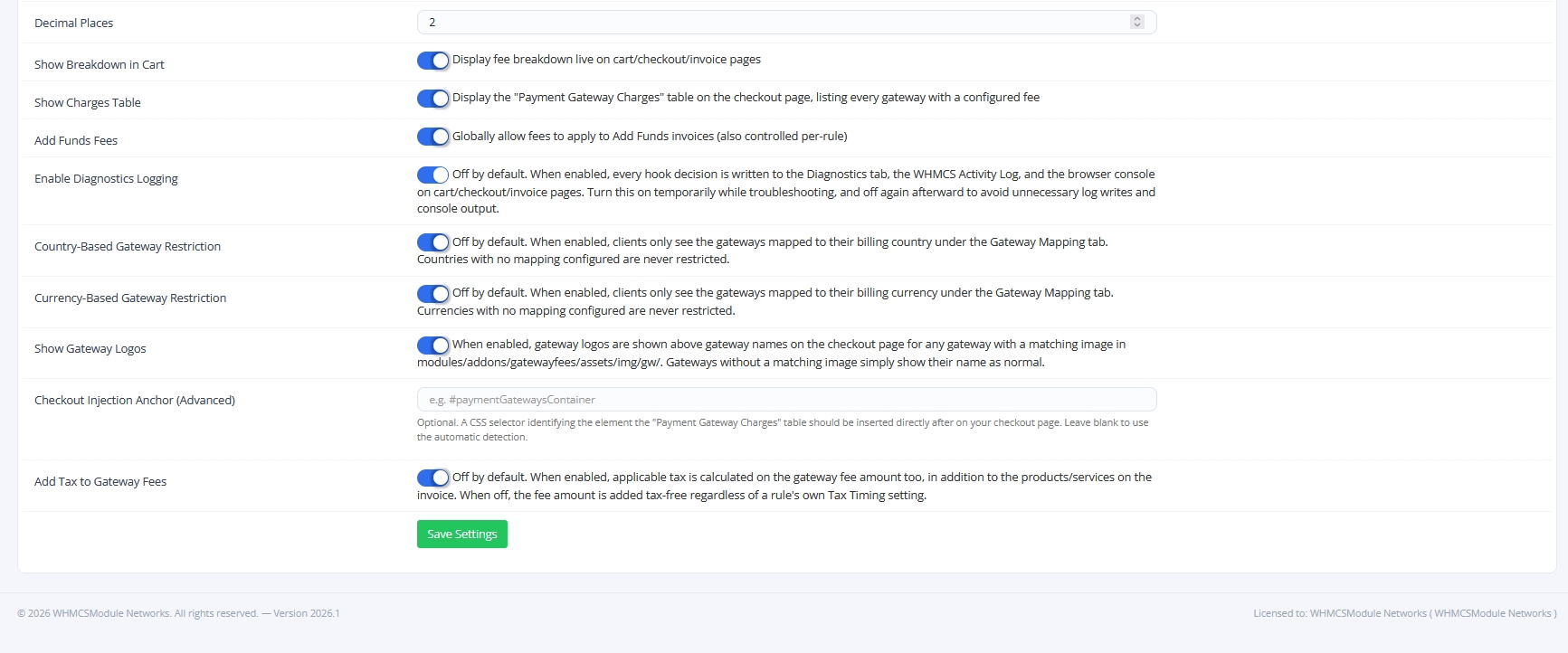
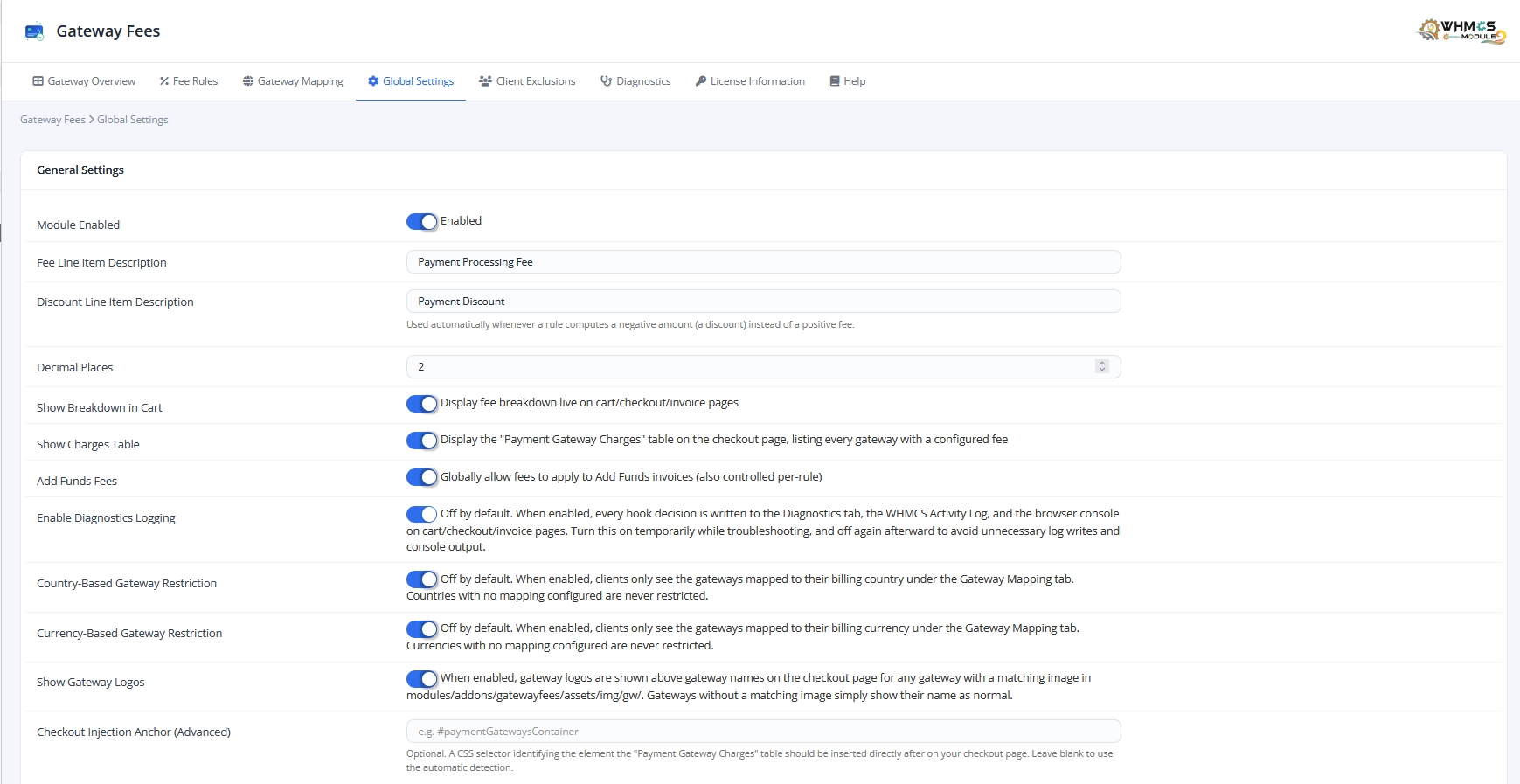
Gateway Overview Gateway Charges Global Settings Global Settings 2 Cart Checkout Gateway Mapping Fee Rules Fee Rules 2 Client Exclusion Invoice View Diagnostic Logs
50+ ONLINE PORTALS TRUST US 13 LANGUAGES SUPPORTED
Fee Recovery Estimator

Calculate Your Monthly Revenue Recovery

See how much money you currently lose to payment processor surcharges — and how quickly this module pays for itself.

€10,000 / mo
€1,000 €50,000 €100,000
3.2%
1.0% 3.5% 6.0%
ESTIMATED RECOVERED REVENUE
€320.00 / month
Equivalent to €3,840.00 in recovered fees every year!
Module pays for itself in under 4 days!
Universal Compatibility

Works with Any Payment Gateway

Supports all core WHMCS payment gateways, third-party merchant modules, and custom payment methods.

PayPal Gross-Up Supported
Stripe Invoice Surcharges
FastSpring Auto Fee Rules
Razorpay INR & Global
Mollie iDEAL & Cards
Authorize.Net Credit Cards
2Checkout Global Checkout
Cryptomus / Crypto Crypto Surcharges
Bank Transfer / Wire Discounting Option
+ All Other Modules Universal Hook
What's Inside

Key Features

Everything you need to recover gateway costs — without complex workarounds.

Flexible Fee Rules

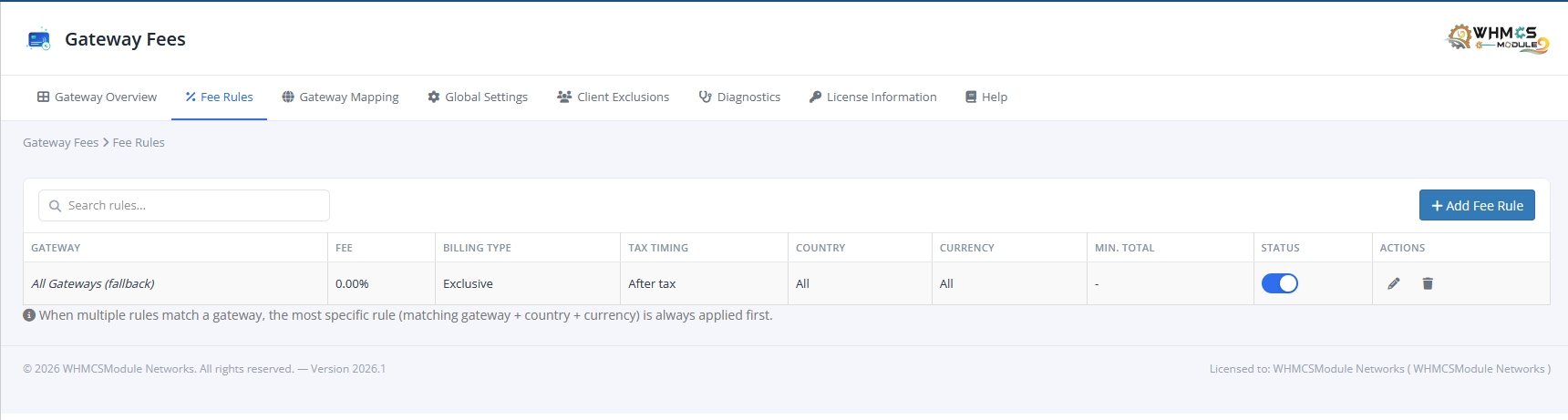
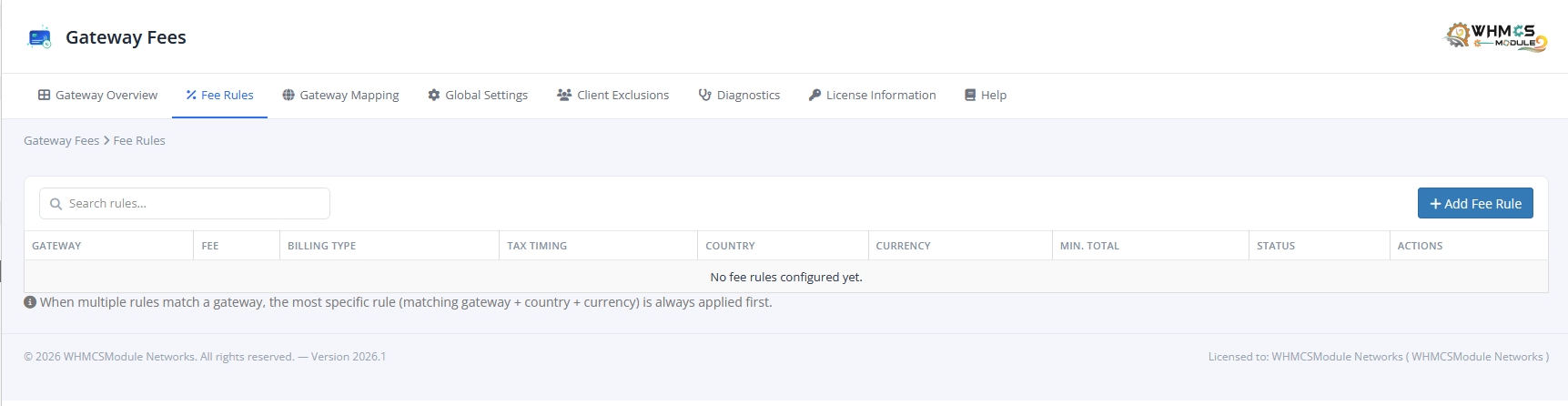
Percentage, fixed amount, or both combined per gateway. Exclusive or inclusive billing (gross-up formula). Set as fee or discount with one click — restrict by country, currency, minimum total, or product.

Smart Gateway Mapping

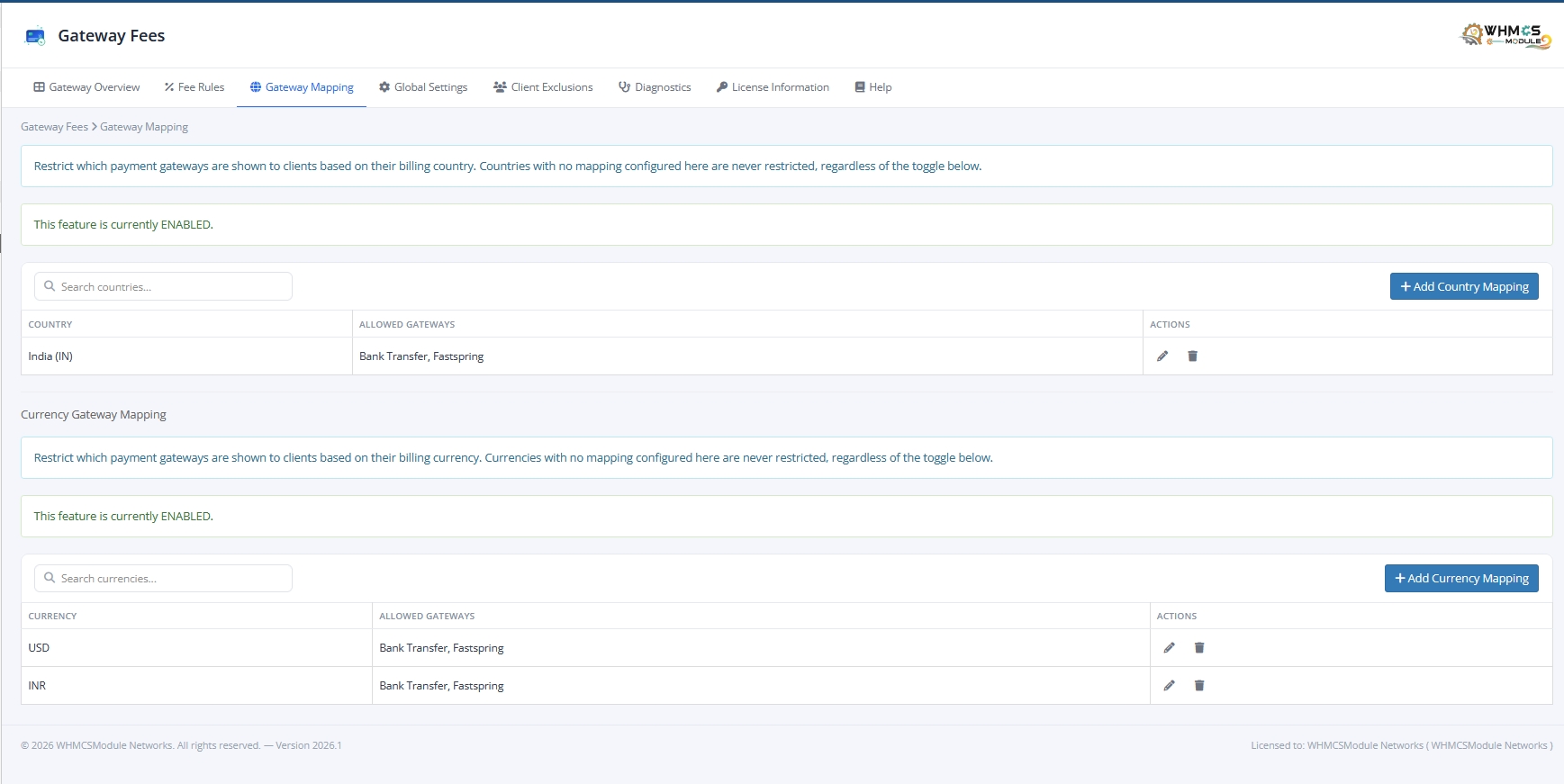
Restrict which gateways are shown to clients based on billing country or currency. Fails safe — misconfigured mappings never lock clients out of paying.

Live Checkout Experience

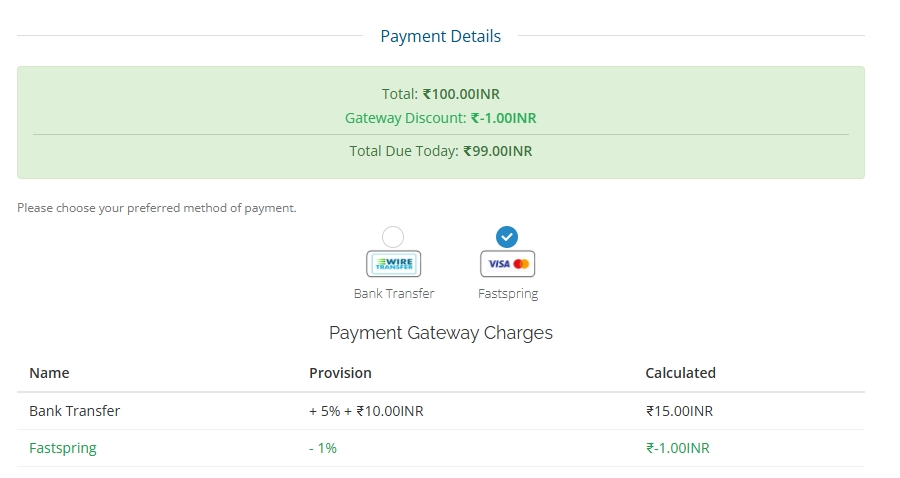
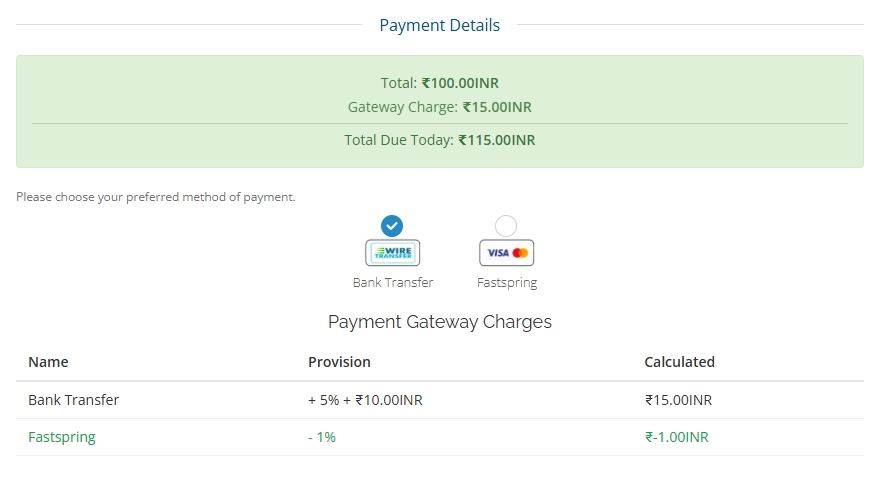
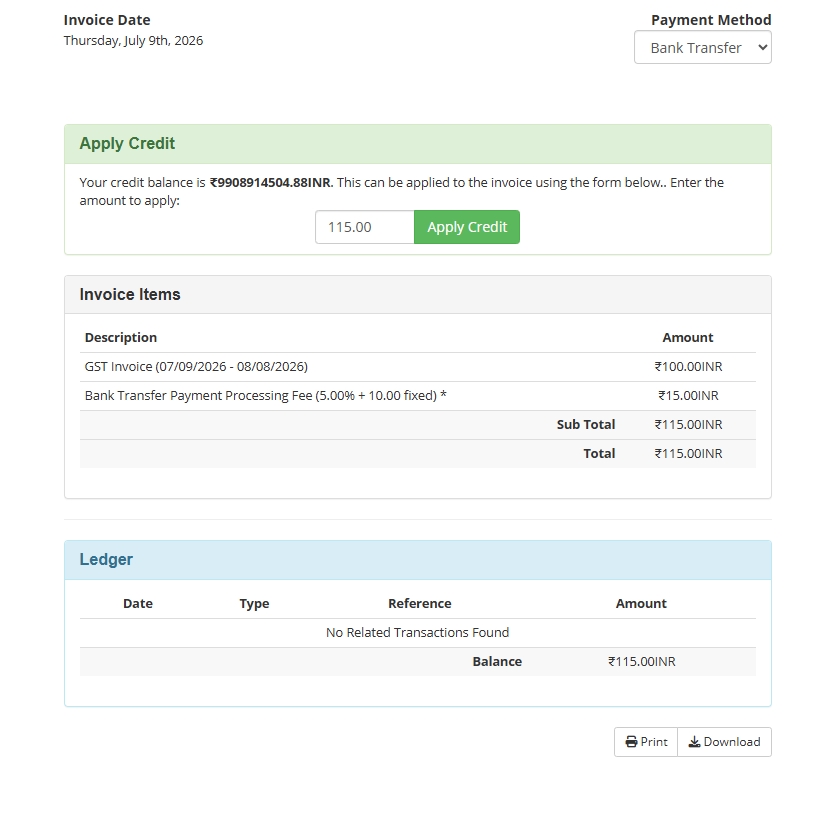
Real-time breakdown on cart & checkout: Total, Gateway Charge, and Total Due Today — updated instantly as the customer switches payment methods. Gateway logos optional.

Client Exclusions

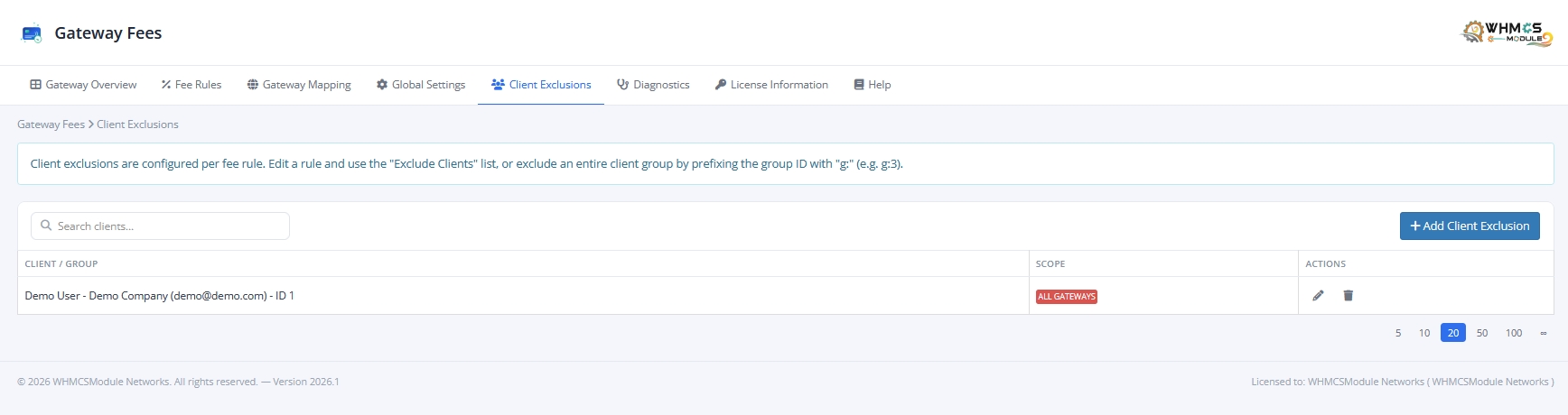
Exempt specific clients or entire client groups from gateway fees — from all gateways or selected ones only — independently of any individual fee rule.

Modern Admin Dashboard

Gateway Overview, guided 3-step fee rule wizard, live search on all tables, AJAX toggle switches, and confirmation modals — zero full-page reloads.

Diagnostics & Audit Log

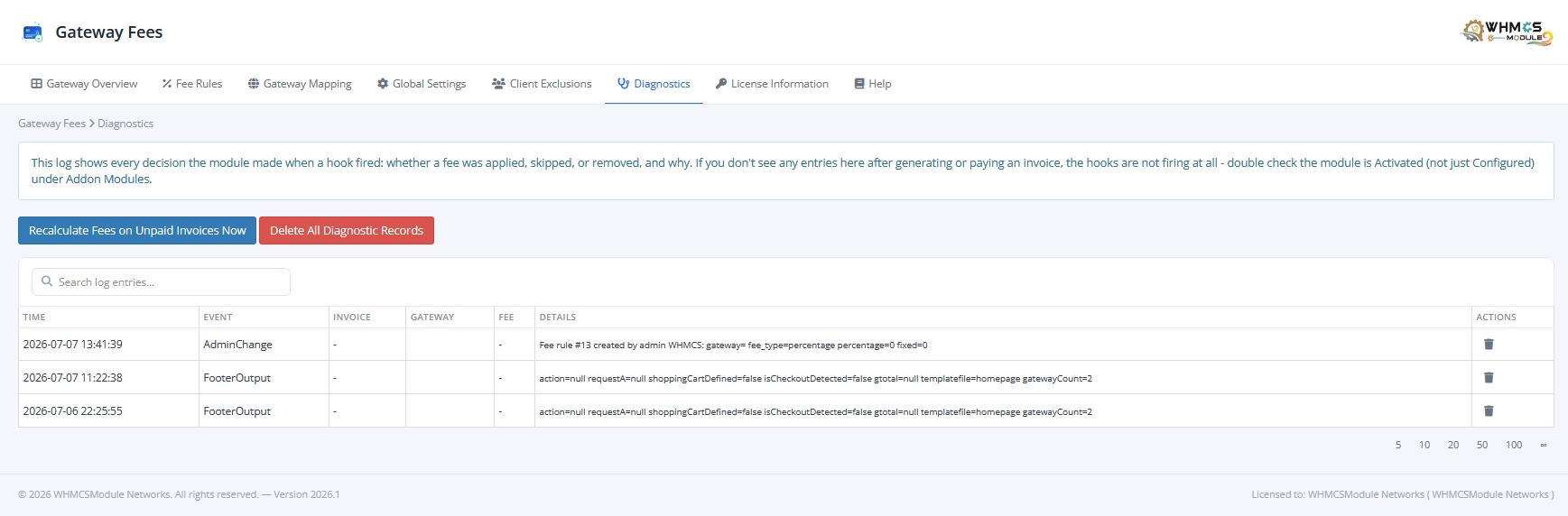
Full diagnostics log recording every fee decision — applied, skipped, or removed, and why. Admin audit trail + one-click recalculation on unpaid invoices.

Why Choose Us

Native WHMCS Surcharges vs. Our Module

Compare built-in WHMCS fee settings against our advanced Payment Gateway Fees & Allocator module.

Feature / Capability Native WHMCS Gateway Fees Module
Percentage & Fixed Surcharges Charge percentage, fixed amount, or both combined per gateway. Basic Only Advanced Combined
Gross-Up Fee Calculation (Inclusive) Calculate true gross-up fee so host receives exact net invoice amount. No Yes (PayPal Formula)
Gateway Discounts (Negative Fees) Incentivize cheap payment methods (e.g. Bank Wire) with live discounts. No Yes
Country & Currency Mapping Rules Restrict gateways and apply custom fee rates by client billing region. No Yes
Client & Client Group Exclusions Exempt VIP clients, resellers, or specific groups from gateway fees. No Yes
Unpaid Invoice Recalculation Recalculate invoice surcharges instantly when clients change gateway. No Yes (One-Click)
Audit Log & Fee Decision Diagnostics Detailed log showing why fees were applied, skipped, or modified. No Yes
Technical Specifications

System Requirements & Compatibility

Full compatibility specifications for WHMCS environments, PHP runtimes, and licensing terms.

WHMCS Compatibility WHMCS 9.x (Latest Stable)
PHP Version Support PHP 8.2 & PHP 8.3 Encoded
IonCube Loader IonCube Loader v14.0 or higher
cURL Requirement cURL Latest Support
Latest Version Version v2026.1
Release Date July 2026
Detailed Overview

Everything This Module Does

Comprehensive functional breakdown of rules, mapping, live checkout, and admin controls.

  • Percentage, fixed amount, or both combined, per gateway.
  • Exclusive billing (fee added on top) or Inclusive billing (gross-up formula — same model PayPal uses).
  • Adjustment Type switch — set a rule to Fee or Discount with one click.
  • Restrict any rule by country, currency, minimum invoice total, or specific products/services.
  • Smart rule matching: Gateway + Country + Currency → Gateway + Country → Gateway + Currency → Gateway only → All Gateways fallback.
  • Optional fees on Add Funds invoices, controlled per rule and via a global master switch.
  • Restrict which payment gateways are shown to a client based on billing country or currency — independent toggles for each, both off by default and fully backward-compatible.
  • Fails safe: a country/currency with no mapping configured is never restricted, and a misconfigured mapping that would hide every gateway is automatically ignored.
  • Real-time breakdown on the shopping cart / checkout page — Total, Gateway Charge (or Discount), and Total Due Today — updated instantly as the customer switches payment methods.
  • A "Payment Gateway Charges" table listing every gateway's rate side by side, so customers can compare before choosing.
  • Automatic recalculation if a client changes gateway on an existing unpaid invoice.
  • Optional gateway logos on the checkout page.
  • Exempt specific clients or entire client groups from gateway fees — either from all gateways, or from selected gateways only — independent of any individual fee rule.
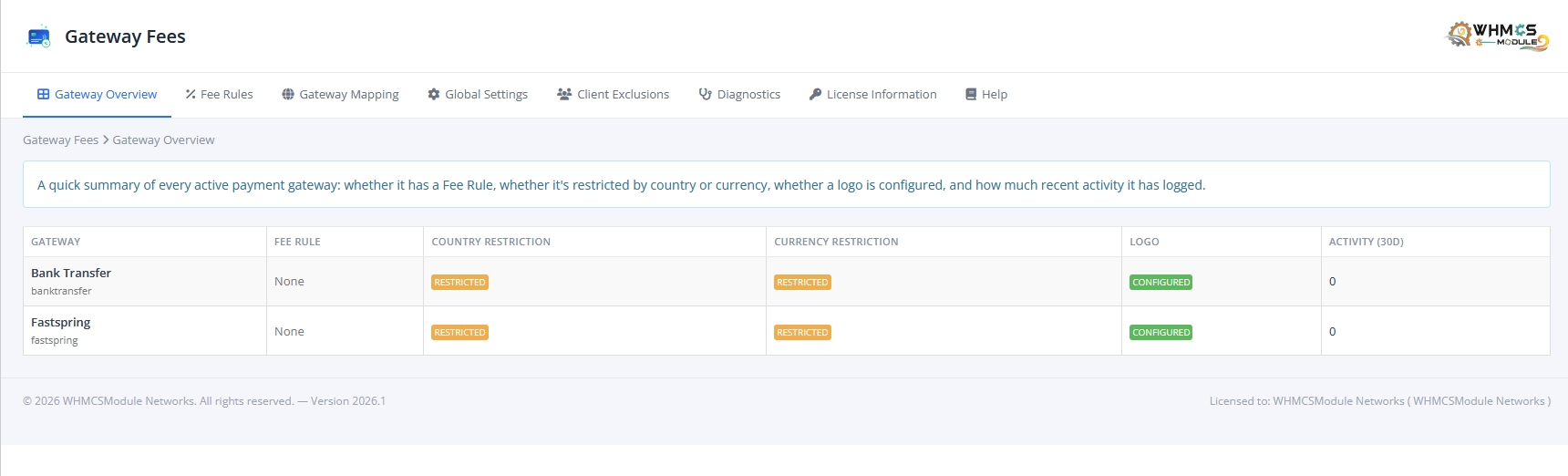
  • A clean, modern admin dashboard: Gateway Overview shows every active gateway's fee rule, restriction status, and recent activity at a glance.
  • Add/Edit Fee Rule is a guided 3-step wizard (Gateway & Status → Fee Amount → Restrictions) that opens in a modal — no page reloads.
  • Every list (Fee Rules, Gateway Mapping, Client Exclusions, Diagnostics) has a live search box and modern toggle-switch controls.
  • Confirmation modals on every delete/toggle/recalculate action, with dynamic AJAX updates.
  • A full diagnostics log (off by default) recording every fee decision — applied, skipped, or removed, and why — plus an admin action audit trail of who changed which rule, mapping, exclusion, or setting.
  • A one-click "Recalculate Fees on Unpaid Invoices Now" button for backfilling or troubleshooting.
  • English, Spanish, Arabic, Czech, Dutch, Farsi/Persian, French, Hebrew, Hungarian, Italian, Portuguese, Russian, and Turkish — including every customer-facing checkout and invoice string.

Note: Stripe gateway is not supported on the Order Page; it works correctly on the Invoice page.

Got Questions?

Frequently Asked Questions

Quick answers to common questions about licensing, template integration, and installation support.

Yes! The module hooks directly into WHMCS core checkout events and supports standard templates (Standard Cart, Twenty-One, Six) as well as popular premium templates like Lagom Cart out of the box.

Absolutely. You can exclude individual clients or entire WHMCS Client Groups from gateway fees across all payment methods or for specific gateways only.

Yes, free installation support is included with your purchase. If you need help uploading files or setting up your first fee rules, our technical team is ready to assist you via ticket.

The module automatically recalculates the invoice surcharge or discount in real-time when the customer switches payment methods, ensuring accuracy at all times.

Ready to Stop Absorbing Gateway Fees?

One-time license. Single domain license. Free installation assistance and 24/7 technical support.

Payment Gateway Fees & Allocator for WHMCS Version v2026.1 (Released: July 2026) - Single Domain License
€35.99 / one-time Buy Now

WHAT OUR CUSTOMER SAYS

Submitted By - Vasu Bhatia

The module works as expected and support has been amazing so far. They’re quick to resolve any bugs and the new version is loaded with features. Highly recommended.

Submitted On - November 6, 2020 at 04:29:22 PM

Important

Please Read Before Purchase

Review our license terms, compatibility notes, and support policies.

No Refund Policy

There is No Refund Policy on module licenses — onetime or yearly. Modules are non-tangible, non-returnable goods. Refunds are not issued once the order is finalized and the product is activated.

Need Help? Contact Us

If you face any issue with installation, open a support ticket, email us, or talk to us via live chat. We're here to help before and after purchase.

WHMCS Version Support

Modules are developed against the latest stable WHMCS version. LTS versions of WHMCS are not supported. Supports WHMCS Latest with PHP 8.2 encoded files.

No Nulled WHMCS

Module purchase is restricted for websites using Nulled WHMCS. Nulled WHMCS users will be considered as Fraud. Sign up with a Valid Email ID from your Top Level Domain.

Order Confirmation

An Order Confirmation mail will be sent to your Email ID. Once the mail is verified the order will be processed. Otherwise the order will be deleted without notice.

Decoding / cURL Issues

If you face a "response can not be decoded" error, upgrade your cURL to 7.30 or above. If WHMCS shows a non-compatible encoded file warning, just ignore the message.

Try WHMCSModule’s Services to get the Best Growth for your Business!

Custom modules, expert support, and instant automated delivery. Trusted by 500+ businesses worldwide.

Get Started View Services
Hello!
Swity AI Assistant